LightSound · home ← Map

LightSound Lab 01 · Interactive laboratory

Colour & Perception

An interactive laboratory in which students explore how colour arises — in light, in pigment, in the eye and in the mind — and how sound and words change what we see. Six modules, each with a hands-on task, and a lab report you can hand in.

Start the lab → Student guide For teachers
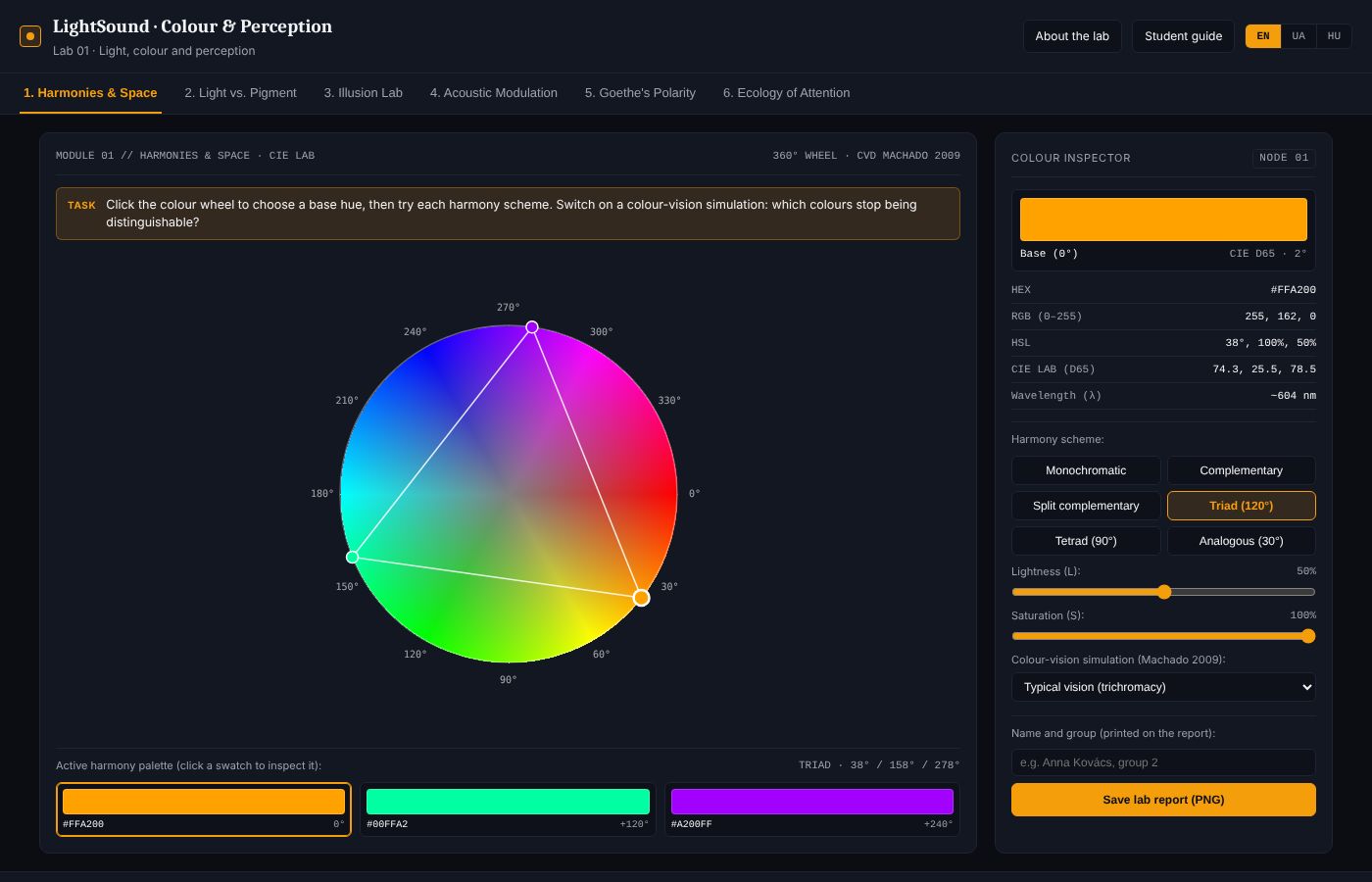
Screenshot of the Colour & Perception lab: colour wheel with a triad harmony, palette and colour inspector
Module 1: a triad harmony on the colour wheel, with exact values in the colour inspector.

What you will learn

The six modules

MODULE 01

Harmonies & Space

Choose a hue on the colour wheel and build monochromatic, complementary, triadic, tetradic and analogous palettes. Read each colour in HEX, HSL and CIE LAB, and check the palette under simulated protanopia, deuteranopia, tritanopia and achromatopsia.

Open module 1 →
MODULE 02

Light vs. Pigment

Overlap three beams of light and three layers of pigment, change their strength and watch the spectrum curve: additive mixing ends in white, subtractive mixing in black.

Open module 2 →
MODULE 03

Illusion Lab

Two identical grey squares on different backgrounds stop looking identical (Chevreul, Albers). Then stare at a coloured disc for twenty seconds and watch its complementary afterimage appear (Hering's opponent process).

Open module 3 →
MODULE 04

Acoustic Modulation

The picture stays exactly the same; only the sound changes — silence, sub-bass, acoustic beating, overtones or your own track. Rate how warm, near and calm the image feels with each sound.

Open module 4 →
MODULE 05

Goethe's Polarity

Explore Goethe's 1810 colour circle: the plus side of light, the minus side of darkness, purple as culmination and green as balance. See light and darkness through a turbid medium, and pair colours with lines of poetry — or your own.

Open module 5 →
MODULE 06

Ecology of Attention

An educational, non-clinical module: describe your state with two colours, take a two-minute breathing pause guided by warm light, and compare lighting scenarios for a classroom.

Open module 6 →
How a session works

  1. Open the lab and choose your language (EN, UA or HU) in the top right corner.
  2. Each module starts with a yellow Task line — it tells you exactly what to do.
  3. Experiment and write down what you notice. The colour inspector on the right shows precise values.
  4. Type your name and group, then press Save lab report (PNG) at the end of each module and hand the files in.

Before you begin

Go further on LightSound

Quotations in module 5: J. W. von Goethe, Theory of Colours (1810); Pavlo Tychyna, “With harps, with harps…” (1914), translated.

How to cite

If you use the laboratories in teaching or research, please cite the collection:

Freedman, D. A. (2026). LightSound Labs: Open Interactive Laboratories of Light, Colour, Sound and Perception (Version 1.0). Scientific and Educational Institute of Multidisciplinary Research «SMART City», Uzhhorod National University. Zenodo. https://doi.org/10.5281/zenodo.24308316

Concept and direction: Daniel A. Freedman — stage director, founder of the Lux Aeterna Light and Music Theatre
Published on LightSound — a digital ecosystem-school for interdisciplinary research
Scientific and Educational Institute of Multidisciplinary Research “SMART City”, Uzhhorod National University · svitlozvuk.freedanman.com · 2026